One Fish, Three Ways
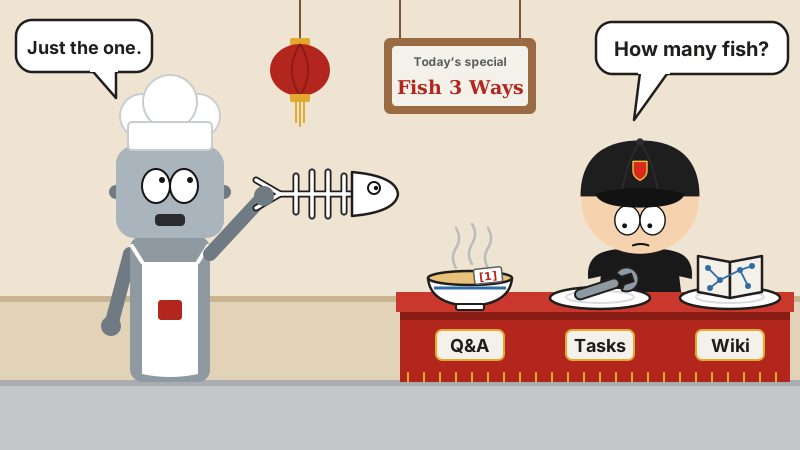
Old-school Chinese restaurants have a dish called “one fish, three ways”: the head goes into soup, the body gets braised, and the bones are fried crispy to go with your drink. One fish, three trips to the table, not a scrap wasted.
Company documents rarely get treated that well. A heap in Feishu (Lark), a heap on the shared drive, another heap in Confluence. The new hire asks “Where’s the expense claim process?” and the old-timer says “Scroll back through the group chat.”
The last couple of years brought a flood of “upload your docs and ask away” tools. Sure, you can ask. Then you’re done asking, and the heap of docs is exactly as much of a mess as before.
A project Tencent recently open-sourced wants to take one knowledge base and cook three dishes out of it.
So what is it?
It’s called WeKnora, Chinese name Weinala, and it lives under Tencent’s GitHub account. Its official site sits on the weixin.qq.com domain. The hosted Q&A on WeChat’s conversational open platform is built on it.
It went open source in July 2025 and has piled up 36k stars since (36,138 when I looked), plus 4,900-plus forks. It ships often, roughly a release every three weeks, and v0.9.0 landed the day before yesterday. The backend is Go, the frontend is Vue 3, and the document-parsing service is written in Python. The code is MIT-licensed, and the docs are in Chinese.
The README reads out the whole menu in one sentence: RAG for looking things up, an Agent for multi-step tasks, a Wiki for organizing knowledge, and all three cooked from the same knowledge base.
First course: Q&A
This is the bread and butter. Documents come in and get parsed, chunked and indexed. You ask a question, it digs out the relevant passages first, then has the LLM answer from them.
Finding passages is a hybrid search, vectors plus keywords, and the hits get reranked. Answers come with citations; click one and you jump back to that passage in the original. Whether it actually has a leg to stand on, you can check for yourself.
It’ll eat just about anything: PDF, Word, PPT, Excel, images, with OCR for scans. Material living in Feishu, Confluence, Notion, Yuque or DingTalk Docs can be synced in automatically on a schedule.
Second course: doing the work
Q&A is “you ask, I answer.” The Agent is “you say it, I do it.” It breaks the job into steps on its own, searches, reads documents, calls tools, and lays every step out in the conversation for you to see.
- Skills: install them from ClawHub, SkillHub, Git or a ZIP file, and they run in a Docker, E2B or Cube sandbox. You can open a terminal and a graphical desktop right next to the chat, watch it work, and grab the wheel the moment something looks off.
- Your browser: install BrowserSkill, an extension Tencent open-sourced, and it can drive your own Chrome or Edge, opening pages and filling in forms. When it hits a login or a CAPTCHA, it knows to stop and hand over to you.
- New in v0.9.0: several Agents splitting up a job and pooling the results; one-off or scheduled automated tasks; and three permission levels for execution: read-only, ask before changing anything, and just do it.
An AI that drives your browser and still knows to let go at the login screen and the CAPTCHA? That’s more tact than some interns have.
Third course: the wiki
Company wikis usually go like this: launched with great fanfare, untouched six months later, last page reading “TBD.”
WeKnora makes the AI the wiki keeper nobody wants to be. Turn on Wiki in a knowledge base and it pulls entries out of your documents (people, products, concepts) and writes them up as interlinked Markdown pages, each one citing its sources. There’s also a knowledge graph, so you can see who’s connected to what.
The key thing is it’s not a one-and-done deal: when new documents come in, the related pages get created or updated to match. If the AI gets something wrong, you just edit it. Every version is kept, you can roll back any time, and the rollback itself can be rolled back too.
Knowledge on tap
There’s another neat trick: the knowledge base can be plugged into other things.
WeKnora has a built-in MCP Server. You create an endpoint in the settings; each endpoint gets its own token and its own say over which knowledge bases it can see and which tools are switched on. AI tools like Cursor and Claude Code just paste in the config shown on the page, and they can query your knowledge base directly.
The example in the docs is refreshingly down to earth: give the support team an endpoint that can only search and answer, and only sees two knowledge bases; give the content team a different one with write access. By default only the read-only tools are on. The write tools you have to tick yourself.
On top of that, you can ask it questions right inside chat apps like WeCom, Feishu, Slack and Telegram, or turn it into a little widget and embed it on an outside website.
A tight ship
What companies dread most is mess, and not being able to say who did what. It has these covered:
- Editable chunks: the text chunks used for retrieval can be edited by hand, and every edit can be diffed and rolled back.
- Permissions: four roles per space (Owner, Admin, Contributor, Viewer), and every space has an audit log.
- Tracing: hook up Langfuse and there’s a record of every step the Agent takes: what it was thinking, which tools it called, how many tokens it burned.
- Models: 29 providers built in, OpenAI, DeepSeek, Qwen, Zhipu and Hunyuan among them, and Ollama works if you want to run locally.
- Deployment: install it on your own machines or a private cloud, swap out the LLM, the vector store and the storage, and your data never leaves the house.
Installing it
If you’ve got Docker, it’s a handful of commands:
git clone https://github.com/Tencent/WeKnora.git
cd WeKnora
cp .env.example .env
docker compose pull
docker compose up -d
Once it’s up, open http://localhost in your browser and follow the setup guide. For a production cluster there’s Helm; to kick the tires on your own computer, there’s a Lite single-file version with no external dependencies.
Fair warning
- It’s a big beast: a standard deployment brings the whole extended family of services: backend, frontend, document parsing, database, Redis, sandbox. If you’re a small team that just wants to ask your docs a few questions, dip a toe in with the Lite version first.
- The wiki costs money: the auto-organizing works by feeding documents to the LLM one by one, so more documents means more calls, and you’ll see it on the bill. You can tune how fine-grained the extraction is, or turn auto-generation off.
- Keep it off the public internet: the README says so itself. It has a login, but for production it still recommends keeping it on an internal network rather than exposing it directly.
- Still on 0.x: it moves fast, and nearly every release comes with upgrade notes covering database migrations and config changes. Give them a read before you upgrade.
Before I go
“Upload your docs and ask away” is something anybody can build these days. Turning one knowledge base into Q&A, task-running and a wiki, and plugging it into other Agents on top of that: WeKnora is about as complete as it gets.
One fish, three ways only works if the fish is fresh. If nobody’s touched your docs in three years, it doesn’t matter how you cook them. Every dish smells the same.