Nice Coat, Still Know You
Anyone who’s written a scraper knows the scary part isn’t a site that’s hard to scrape. It’s a site that gets redesigned.
Yesterday it ran like a dream. Today you run it and get a whole lot of nothing. Your selector knows exactly one thing: “the span with class price inside the third div.” Some front-end guy’s hand slips, the class gets renamed, and there goes your night.
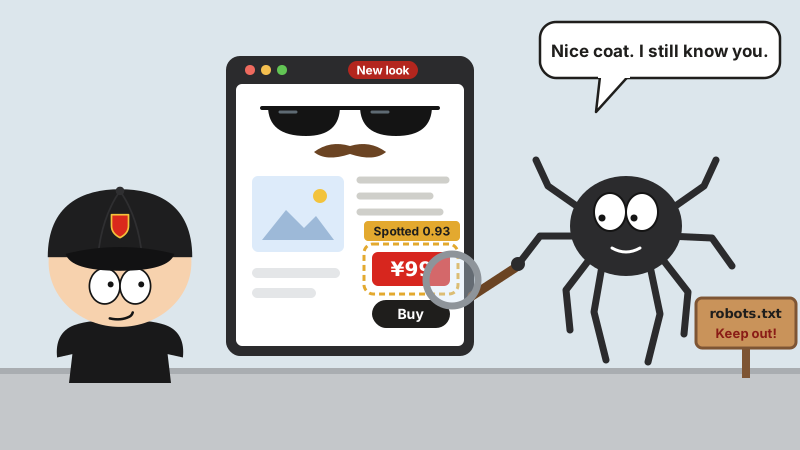
Same as recognizing people. If all you know about a guy is his jacket, he throws on a different coat and you walk right past him.
There’s an open source project going around that treats exactly this condition.
What it is
It’s called Scrapling, by Karim Shoair, an Egyptian who bills himself in his bio as a “web scraping expert.”
It opened for business in October 2024 and now has 90,000 stars (90,095 when I looked), 9,000-plus forks and a BSD-3-Clause license. It’s written in Python, the latest version is v0.5, and the docs are pretty thorough.
In one sentence: a Python scraping framework that handles everything from grabbing a single page to crawling a whole site. It has two signature moves. When a site gets redesigned, its selectors find their own way back to the data. And it comes with a stealth mode for anti-bot walls like Cloudflare.
Nice coat, still know you
This is its best trick, and it’s called adaptive.
The first time you scrape, add auto_save=True and it memorizes what your element “looks like”: the tag name, the text, the attributes, who lives next door, where it sits on the page, even what its old man looks like. All of it goes into a local SQLite database.
When the site gets a fresh coat of paint and the old selector comes up empty, switch to adaptive=True. It takes that saved mugshot, holds it up against every element on the new page one by one, gives each a similarity score, and brings you back the closest match.
from scrapling.fetchers import Fetcher

Fetcher.adaptive = True
page = Fetcher.get("https://quotes.toscrape.com/")

# First time: get a good look and write it down
quotes = page.css(".quote .text", auto_save=True)

# After the redesign: the old selector misses, so go find it by the saved looks
quotes = page.css(".quote .text", adaptive=True)
If the site even moved to a new domain, add adaptive_domain to tell it the old one and the new one are the same family.
Of course, the trick has its limits. It works by resemblance, so if they tear the whole page down and rebuild from scratch, all it can do is stare. Also, each selector only remembers the first element, and saving under the same name again overwrites the old one.
Two fetchers, each with its own turf
- Fetcher: sends plain HTTP requests, for static pages. It can dress up its TLS fingerprint and headers to look just like a real browser, and it supports HTTP/3.
- StealthyFetcher: opens a stealth browser for dynamic pages that load through JavaScript, and takes on anti-bot defenses. It has its ways with Cloudflare’s Turnstile challenge and those “Just a moment…” interstitial pages, too.
Older versions also had a separate DynamicFetcher just for dynamic pages. v0.5 deleted it and handed the job to StealthyFetcher. Copy an old tutorial off the internet and you’ll get errors, so read the official migration notes first.
Let me be straight with you: no tool can promise it gets past Cloudflare 100% of the time. They change their rules, and the move that works today can be dead tomorrow. The README says it can “easily bypass all types.” Take that with a grain of salt.
Crawling a whole site
If single pages don’t scratch the itch, there’s also a Spider framework that reads a lot like good old Scrapy: give it start_urls, write an async parse.
from scrapling.spiders import Spider, Response

class QuotesSpider(Spider):
    name = "quotes"
    start_urls = ["https://quotes.toscrape.com/"]

    async def parse(self, response: Response):
        for quote in response.css(".quote"):
            yield {"text": quote.css(".text::text").get()}

result = QuotesSpider().start()
result.items.to_json("quotes.json")
Everything you’d expect is there: concurrency, per-domain rate limits, plain requests and the stealth browser mixed in one spider, proxy rotation, automatic retries when you get blocked. Hit Ctrl+C halfway through and next time it picks up where it left off instead of starting over. Results export straight to JSON, JSONL, CSV or XML.
Odds and ends
- Command line: scrape without writing a line of code.
scrapling extract get <url> quotes.mdsaves the page straight to Markdown. - MCP Server: AI tools like Claude and Cursor can call it directly to fetch pages.
- Markdown conversion: one line,
page.markdown(), turns a page into clean text ready to feed an LLM. - Login sessions: log in once, save it, pick it up again next time.
- Fast parsing: by its own benchmark, pulling the text out of five thousand nested elements takes Scrapling under 2 milliseconds and BeautifulSoup a second and a half.
To install (Python 3.10 or later):
pip install "scrapling[fetchers]"
scrapling install
The second line installs the browsers. If you only need parsing and plain requests, pip install scrapling will do; for MCP, install scrapling[ai].
Ground rules first
In the scraping business, being able to do something and being allowed to do it are two different things.
The end of Scrapling’s README spells it out: it’s for learning and research only; if you use it, you follow local and international laws on data scraping and privacy; and you respect each site’s terms of service and robots.txt.
It even ships with its own kit for behaving yourself:
robots_txt_obey: turn it on and it does what the site’s robots.txt says. Where it’s told to stay out, it stays out; where it’s told to slow down, it slows down.- AutoThrottle: sets its pace by how fast the site answers, and backs off the moment the site starts rate-limiting.
- Development mode: the first run saves the page locally, and from then on you debug against the saved copy instead of knocking on their server over and over.
By the way, scroll down the README and the sponsors are wall-to-wall proxy IP sellers. Tells you everything about how this business pays the rent.
Last words
Scrapers live in fear of redesigns, and Scrapling takes the fear away: the site puts on a new coat, and it still knows who’s wearing it.
Scrapling knows a site in a new coat. You should know a “Keep Out” sign when you see one.