Pink Slip for the Keyboard
Typing, let’s be honest, is your fingers chasing your brain: the sentence is already finished in your head, and your hands are still back there hunting for the pinyin.
That’s why AI voice typing has been hot the past couple of years. You open your mouth, and the words land on the screen by themselves. Typeless is one of the well-known ones. It’s good, sure, but you pay for it: the free tier caps your words each week, and if you want to talk as much as you like, it starts at $12 a month (billed yearly; month to month it’s $30).
Lately a free one has popped up. It’s called MosMos.
What it is
MosMos, website mosmos.io, made by Shanghai’s Mosi Intelligence. It’s available for Mac and Windows, the download button says Free right on it, and I poked around and couldn’t find a paid tier anywhere. An iOS version is supposedly on the way.
The fine print on requirements: on a Mac you need Apple silicon and macOS 15 or later; on Windows, 64-bit Windows 10 or 11. For now it handles Chinese and English.
How to use it
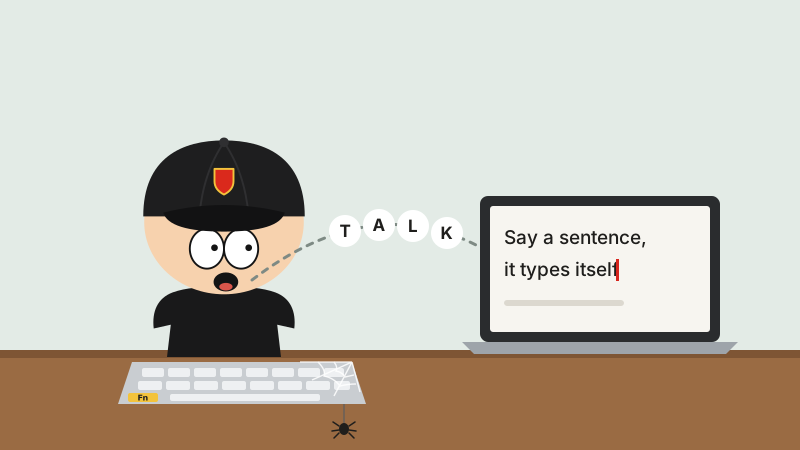
In any app, park your cursor, press Fn once (on Windows it’s the right-hand Alt), start talking, press it again when you’re done, and the text appears. Works in Feishu (Lark), works in WeChat. If tapping twice isn’t your thing, there’s also a hold-to-talk mode: hold the key while you talk, let go, and the text drops in.
Basically, it puts a stenographer behind every text box, and you don’t even have to pay them.
What it’s actually good at
On-device recognition. You can pick a local mode: your speech turns into text right on your own computer, so it works offline, on the high-speed train, on a plane, wherever. If you want it more accurate, you can switch to cloud recognition.
AI polishing. Three levels: Basic gives you exactly what you said; Standard smooths out your grammar; Advanced turns it straight into a clean draft. It reads the room, too: talking in WeChat gets one flavor, while emails, docs and code each get another. All your “um, um”s and “I mean”s get filtered right out, so you sound like you thought it through before you opened your mouth.
Hot words. Enter names, jargon and English proper nouns ahead of time, and it’ll stop hearing “Mr. Wang” as “Mr. Wrong.”
Highlight it, ask out loud. Select some text, say a paper in English, just say “translate this into Chinese,” and the result pops up in a window right away.
Meeting notes. It transcribes the whole meeting and can tell who said what. When the meeting breaks up, the notes write themselves: key points, to-dos, even who owns what and when it’s due. Next time you zone out in a meeting, at least somebody’s taking notes for you.
The home screen also has a few little stats: how many times you talked today, how many hot words it used, how many times it polished something, plus your history.
A couple of honest notes
Is it open source? The website doesn’t say, and I couldn’t find any code, so just treat it as freeware.
As for free, go by the website: the download page says Free today. Whether they’ll charge down the road, nobody can say.
Last word
Typing is a craft. Talking is instinct. It used to be your fingers chasing your brain; now you open your mouth and the words come chasing after you.
Just one warning: when your mouth speeds up, your brain has to keep up. Your words can be polished. A bad idea can’t.