The Logo Strikes a Pose
Getting AI to draw you a logo these days is about as hard as ordering takeout: one sentence and you’re done. But what shows up is an image. It’s static, it’s made of pixels, and when you zoom in the edges are all stair steps, like a witness getting pixelated on the evening news.
Want it to move, to make an entrance on your splash screen? Then you need a motion designer, billed by the hour, and you’ll have to wait your turn.
Lately there’s an open-source skill on GitHub that cures exactly this. It’s called pixel2motion.
What it is
The project is pixel2motion, by NolanLai, co-founder of Lykno.ai and a former researcher at Tencent. It opened for business in June 2026, has more than 2,500 stars so far, MIT license.
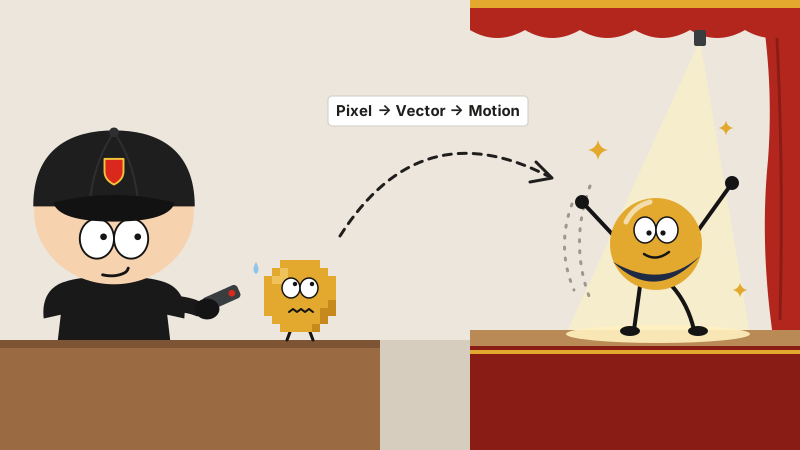
It’s in the standard SKILL.md format, so both Claude Code and Codex can use it. The name is the process: Pixel → Vector → Motion. Pixel image goes in, vector animation comes out.
Three steps
Step one: study the picture, write the script. First it takes the logo apart and gets to know the cast: which part is the icon, which part is text, which bit is a dot, which stroke is an arc. Every piece is a future actor. Then it writes a motion brief: pick three personality words, say “crisp, precise, confident”; decide where it’ll be used: a splash-screen entrance gets 1.2 to 2 seconds, a header entrance 0.3 to 0.8 seconds, a mouse hover 0.15 to 0.3 seconds, tops; then work out who comes on first and who follows.
Step two: trace it as vectors. The rule is to keep it simple wherever you can: if a circle will do, don’t use a curve, and if it can be drawn in three strokes, never trace four hundred points. Its reasoning: only clean geometry can move. Smoothness is non-negotiable. However faithful the trace, if zooming in shows stair steps, it gets thrown out all the same. Each revision counts as a round, 10 rounds max by default.
Step three: block the scene. It choreographs by Disney’s twelve principles of animation, picking whichever of the old classics fit, like squash and stretch, anticipation, and follow-through. The timeline gets split 20 : 50 : 30: a 1.5-second entrance is 300 milliseconds of wind-up, 750 milliseconds of main action, and 450 milliseconds of settle. No marching in lockstep: the pieces have to come on staggered. And the last frame has to land exactly on the static image signed off in step two. One pixel off and it isn’t done.
Put plainly, it’s the same routine as a Peking opera actor striking a pose on entrance: first the flourish, then the moves, and then freeze right there, not a hair out of place.
What you get
A logo_motion.html, a demo page with zero library dependencies: click the main animation to replay it, play it in slow motion, drag to adjust the speed, and below it sit a few little motion samples, like HOVER, PULSE, ARC and PRESS.
A motion_spec.md, a motion manual and QA report rolled into one: personality words, which principles it used, the timeline, the easing curves, it’s all in there.
Plus the final logo.svg, and a stack of frames captured at set points in time, as proof it really moves the way it says.
Anybody else would hand in a GIF and call it a day. This one turns in the homework with the grading notes stapled on.
How to use it
Same as any other skill: clone the repo into your agent’s skills directory. For Claude Code:
git clone https://github.com/nolangz/pixel2motion ~/.claude/skills/pixel2motion
Your machine needs Python 3.10 or later and Chrome, plus Pillow, numpy and Playwright; that last one captures the frames for the QA check.
Once it’s installed, toss your logo image to the agent and say: “Make this logo into a silky vector animation.” Then brew a cup of tea and wait for it to deliver.
Watch the demo reel first
Can’t be bothered to install it? Have a look at the demo site first. It has 5 logos up, each in three columns: the original, the one Claude made, the one GPT made, and you can replay them and adjust the speed.
Two candidates answer the same exam question, both papers are pinned up on the wall, and you get to be the judge of who scored higher.
A couple of honest notes
- The open-source version is DIY: you have to get the whole Python, Chrome and Playwright setup squared away first. It’s not one click and done.
- The author says in the README that a fuller commercial service is on its way. As for the open-source version, just use it under the MIT license.
- And one more from me: its job is getting the logo to move. Whether the logo itself looks any good is not its department.
Last word
A logo used to be a picture hanging on the wall. Now it walks on, strikes a pose and takes its bow all by itself.
Just one catch: if the logo was ugly to begin with, animating it just makes it ugly, only silkier.