Know the Score
The most common show at any company: someone from the business side goes to the data analyst. “Can you pull last month’s sales by city for me?”
The analyst already has eight requests piled up. “Get in line.” Three days later the numbers arrive, and the business guy takes one look: “Oh, could you also break that down by channel?” Great. Another three days in line.
One wants the numbers, one hands out the numbers, and the two of them just wear each other down. There’s a new open source project that wants the business side to ask for numbers themselves, no more chasing the analyst around.
What is it, anyway
The project is SQLBot, from the DataEase team. DataEase is the open source BI tool from FIT2CLOUD, a company that also makes 1Panel, MaxKB and JumpServer, so it’s an old established name in open source.
It opened shop in April 2025 and has over 7,000 stars so far (7,030 when I looked) and 900-plus forks. Updates come often; v1.10.3 came out just today. The docs are in Chinese.
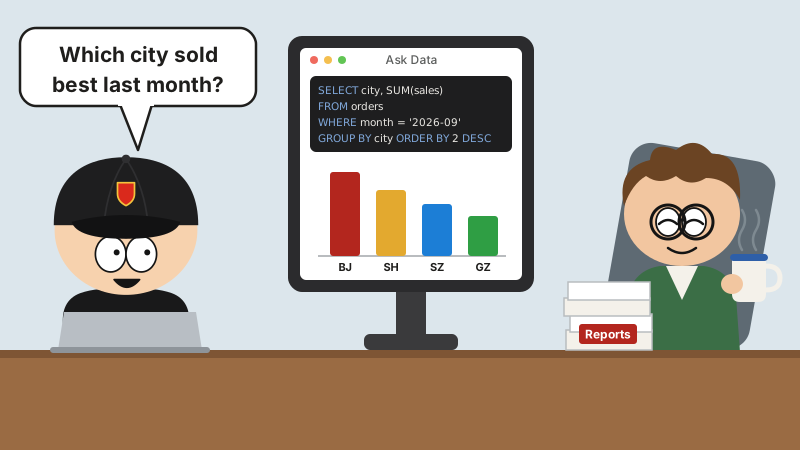
In one sentence: a smart ask-your-data system built on large language models and RAG. The jargon is Text-to-SQL, a.k.a. ChatBI. You ask in plain language, it translates that into SQL, runs it against the database, serves up the data and a chart together, and can keep going with the analysis.
Where it can get the numbers
It connects to plenty of databases:
- Business databases: MySQL, SQL Server, Oracle, PostgreSQL, plus two Chinese-made databases, Dameng and Kingbase
- Analytics databases: ClickHouse, Doris, Elasticsearch, StarRocks
- Data warehouses: AWS Redshift, Hive
- Files: upload Excel or CSV directly
Once it’s connected, you decide which tables and which columns it gets to see; anything you haven’t enabled, it won’t touch. You can also tell it up front how the tables relate, so when it queries several at once it doesn’t join them at random.
On the model side, it can also hook up to a model running locally on Ollama, so your data never leaves the building.
Why it gets more accurate the more you ask
Leave a large language model to guess on its own and it won’t get it right. When your company says “GMV,” “repeat purchase” or “key account,” how is it supposed to know how you calculate those?
SQLBot’s answer is extra lessons:
- Glossary: write out your company’s jargon one entry at a time, like “a key account is anyone who spends over 100,000 a year.”
- SQL example library: store a batch of correctly written SQL, so similar questions can follow their lead.
- Custom prompts: a few extra reminders about how your shop does things.
When you ask, RAG first digs up the relevant terms and examples and hands them to the model along with your question, so it isn’t flying blind. The more people use it, the more piles up, and the more accurate the answers get.
Security and integration
The scariest thing about data is everybody being able to see it. SQLBot walls off resources by workspace, each one its own little patch, no dropping in on the neighbors. Data permissions can be set very finely too: who gets to ask about which numbers is decided in advance.
Plugging it into other systems is easy as well: embed it in a web page or a pop-up, or go through MCP. n8n, Dify, MaxKB, DataEase and the like can all tap into its ask-your-data skills.
Installing it
Find a Linux server with Docker on it and run one command:
docker run -d \
  --name sqlbot \
  --restart unless-stopped \
  -p 8000:8000 \
  -p 8001:8001 \
  -v ./data/sqlbot/excel:/opt/sqlbot/data/excel \
  -v ./data/sqlbot/file:/opt/sqlbot/data/file \
  -v ./data/sqlbot/images:/opt/sqlbot/images \
  -v ./data/sqlbot/logs:/opt/sqlbot/app/logs \
  -v ./data/postgresql:/var/lib/postgresql/data \
  --privileged=true \
  dataease/sqlbot
Then point your browser at port 8000 on the server and you’re set. You can also go through the 1Panel app store, and there’s an offline installer for intranet setups.
Two warnings:
- The default admin username and password are sitting right there in the README for everyone to see. First thing after you install: change them.
- The command includes
--privileged=true, so the container runs in privileged mode. Before you put it on a server that matters, know the score.
Read the license
It’s not MIT, and it’s not Apache. It’s FIT2CLOUD’s own FIT2CLOUD Open Source License. According to the README, it’s basically GPLv3 plus two extra conditions:
- You can’t replace or modify SQLBot’s logo or copyright notices;
- Anything you build on top of it has to be open-sourced under GPLv3 rules.
Installing it for your own use is no big deal. If you plan to modify it into a product and sell it to customers, read the terms from start to finish first.
Fair warning
The direction is right. For Text-to-SQL to actually work, the model alone won’t cut it; you need extra lessons like a glossary and SQL examples, and SQLBot has paved exactly that road.
But whether it’s accurate comes down to the foundations of your own house: are your table and column names in human language, did anyone write the comments, have you fed it enough glossary entries and examples? If your tables are all t_ord_x1 and col_37, even a god would be guessing.
So before going live, put it through a real round of questions on your own database and check the answers against the analyst’s numbers. Don’t just plug it in as your reporting system. Numbers that go to the boss still need a human to sign off.
Parting shots
Getting a number used to mean standing in line, waiting, and smiling nicely. Now you just ask.
Ask it for the numbers and they’re yours on the spot. Whether they’re the right numbers, though, you’d better know the score.