All Talk, No Mouse
In our line of work, the dreaded part isn’t writing the code. It’s drawing the diagrams after you’ve written it.
You drag the boxes one at a time, connect the lines one at a time, line up this end and that end goes crooked, and there goes your afternoon. You finally finish, the boss glances at it: “Move the cache bit over a little.” And that’s that. The whole diagram, from the top.
There’s an open source project out lately that cures exactly this. You don’t even lift a finger to draw with it. You just talk.
So what is it?
The project is called Next AI Draw.io, by Dayuan Jiang, who lives in Tokyo. In one sentence: you chat with an AI, and your draw.io diagram gets drawn.
You all know draw.io, the free old faithful for flowcharts and architecture diagrams.
The project opened for business in March 2025 and has racked up 36k stars since (36,334 when I looked), plus 3,800-plus forks. It’s Apache 2.0 licensed and written in TypeScript with Next.js. It comes three ways: a web version; a desktop version for Windows, macOS and Linux; and an MCP server that plugs straight into AI assistants like Claude Code, Cursor, Codex and VS Code.
What it cures
Getting AI to draw diagrams isn’t new. The trouble is that what comes out is usually a dead image. Looks the part, but change one word? Not a chance. You have to describe the whole thing again from scratch, and every retry is another pull on the slot machine.
This project is different. The AI draws on a real draw.io canvas, and what comes out is an ordinary draw.io diagram: double-click to rename, drag to move, restyle all you like, split it across several pages, and export to .drawio, .png or .svg any time.
Put simply, the AI lays the groundwork, you do the finishing, and nobody gets in anybody’s way.
What it can do
One sentence, one diagram. Architecture diagrams, flowcharts, sequence diagrams: say the word and there it is. Icon libraries for AWS, Azure, GCP and Kubernetes come ready to go, so drawing a cloud architecture doesn’t mean scouring the earth for icons.
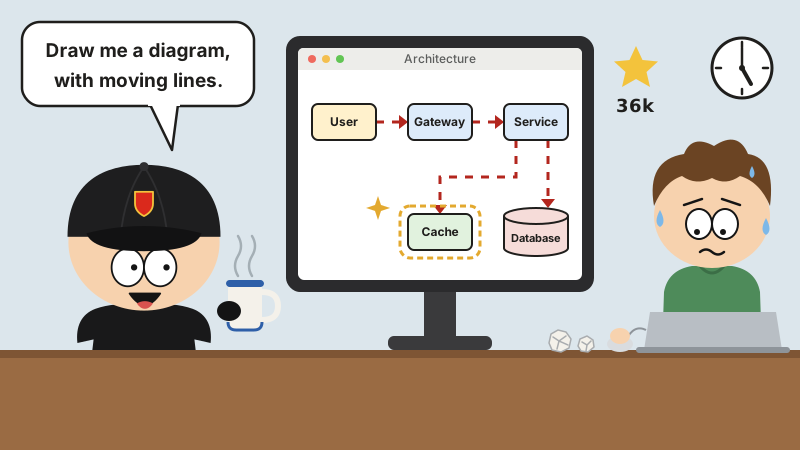
Lines that move. Connectors can have flowing animation, so where the data goes is obvious at a glance. In the old days you’d animate the lines one by one in PowerPoint and age three years doing it.
Draw from a reference. Snap a photo of a whiteboard sketch, or grab a screenshot from somewhere else, toss it in, and it redraws the thing neat and proper. You can toss in PDFs, Markdown and code files too, and it pulls the structure out of the content and draws it. Inherit an old project with no docs, and this one is a lifesaver.
Edit by talking. Say “move the cache behind the gateway,” and the changes land on the canvas as they’re generated. Freshly changed shapes get highlighted, so you know exactly what moved.
Only touch what’s selected. Select a few shapes on the canvas before you talk to it, and it only touches those. Not one line anywhere else gets moved.
All the do-overs you want. Every time the AI makes a change, it saves a version card with a thumbnail that you can compare against the current canvas, restore, or undo. Hit Ctrl+Z on the canvas and the AI’s change rolls back in one step too.
Its thinking is out in the open. With a model that supports reasoning, you can watch it mull things over. Before you judge whether it drew the thing right, see how it was thinking.
How to use it
The laziest route is to just open the online demo. Nothing to install. The demo has usage limits; put your own model provider and API key into the chat box settings and the limits go away. The key is only stored in your own browser, never on the server.
To run it on your own computer, grab the desktop version from the Releases page.
If you basically live in Claude Code, one command hooks it in (--scope user makes it available in every project):
claude mcp add --scope user drawio -- npx @next-ai-drawio/mcp-server@latest
Cursor and VS Code get one-click install buttons in the README. For other clients, add this to your MCP config:
{
  "mcpServers": {
    "drawio": {
      "command": "npx",
      "args": ["@next-ai-drawio/mcp-server@latest"]
    }
  }
}
Once it’s installed, just talk like a human, something like “draw a flowchart of user login, with MFA and session management,” and the diagram draws itself in your browser, stroke by stroke. The MCP version also comes with a screenshot tool, so the AI can look at its own drawing, spot what’s wrong and fix it. Which is more than you can say for some coworkers.
Which models
It supports 25 model providers in all, with AWS Bedrock as the default. The big players are all there (OpenAI, Anthropic, Google, Azure), and so are DeepSeek, Doubao, Zhipu GLM, Qwen, Kimi, MiniMax and SiliconFlow. You can also run local models with Ollama.
One honest word of warning: drawing a draw.io diagram really means getting the model to spit out a big chunk of XML with zero tolerance for formatting slips, and small models tend to fall apart. So don’t be stingy. Pick one that can handle it.
Hosting it yourself
Vercel, Cloudflare Workers and Docker all work. Tencent EdgeOne Pages offers one-click deploys, and deploying there throws in a free daily DeepSeek quota. For company intranets and machines with no outside internet, there are docs for offline deployment too.
Once it’s up, you can configure several models, set an admin password, and manage models, access codes and usage quotas from the /admin dashboard. One person on the team sets it up, and nobody else has to go get their own key.
How it differs from draw.io’s own AI
Turns out draw.io has AI of its own, under Arrange > Insert > Generate. It uses a free hosted model, or you can put in your own key.
Where Next AI Draw.io differs: every time you speak, it sends the AI the current canvas along with any edits you made by hand; every AI change is a version you can compare and restore; and you get your pick of 25 model providers, local ones included.
One adds a helper to draw.io. The other hands that helper the full toolbox.
Before I go
Drawing diagrams used to be all in the wrist. Now it’s all in the mouth.
Calling someone “all talk” used to be an insult. Now all talk gets you an architecture diagram you can edit and undo, with lines that actually move.
So next time someone tells you “this diagram took me all afternoon,” you’ll know what’s up: either they’ve never heard of this thing, or they’re goofing off on the clock.